How To Use the F&T Online Valuation Tool

Before starting a valuation, you need login access to the F&T Online Valuation Tool. For credentials, email Member Services at ndirfmemberservices@ndirf.com. Upon approval, our partner company, RiskStar, will send you a welcome email and you can begin using the tool. 
Step 1

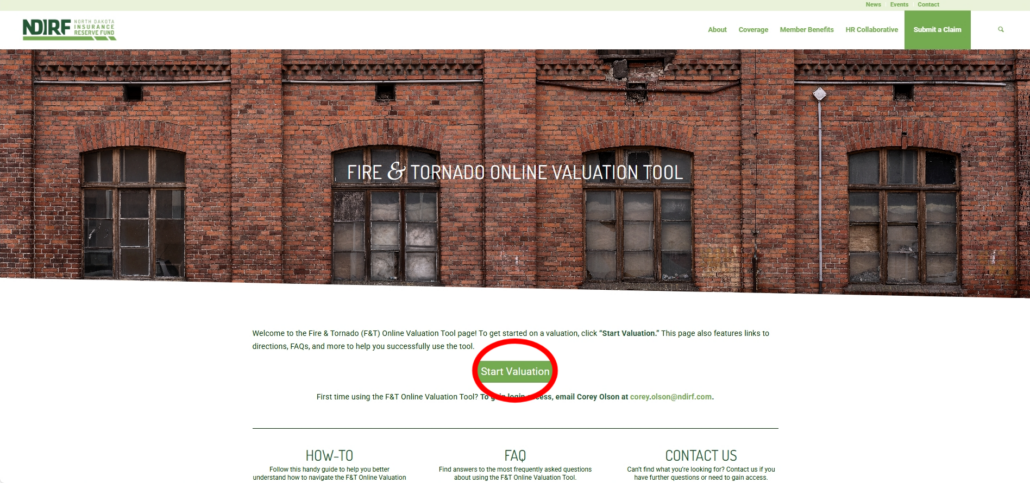
To access the tool, click the Start Valuation button on the F&T Valuation Tool page from the NDIRF website.

Step 2

Complete the login fields with the credentials you initially received from RiskStar and log in. 

Step 3

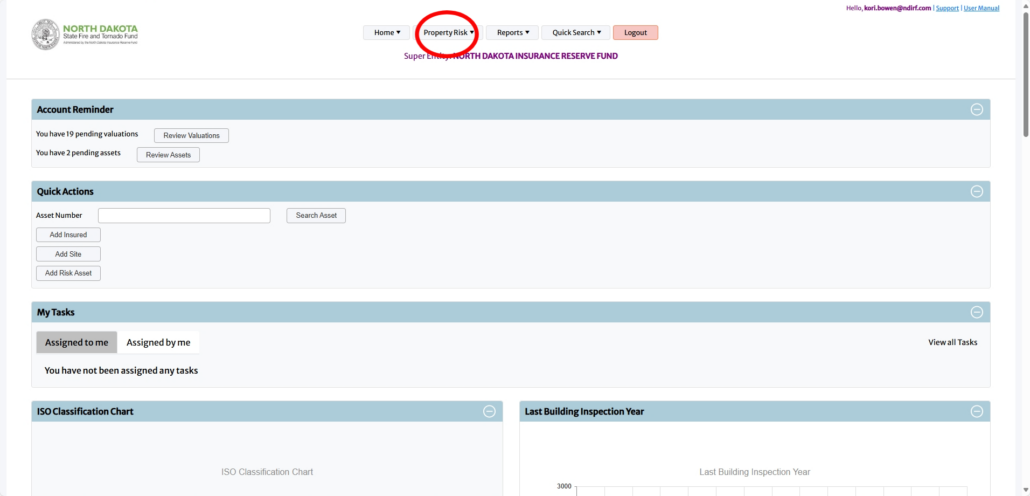
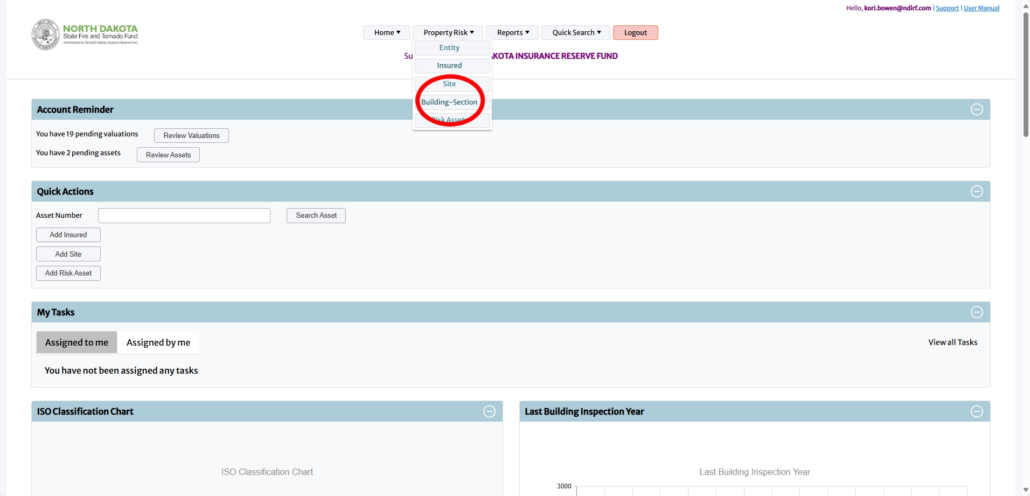
Upon logging into the Valuation Tool, hover over the Property Risk dropdown and click the Building-Section option.

Step 4

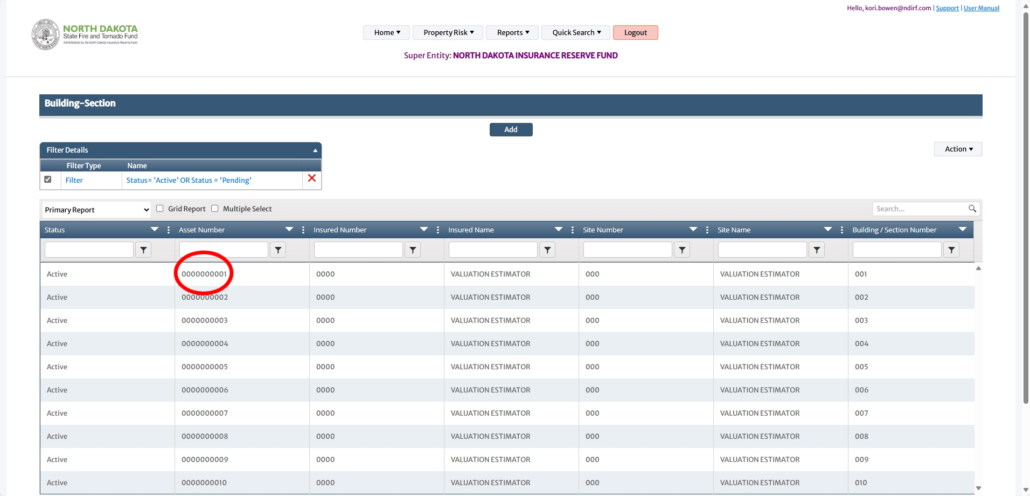
Once on the Building-Section page, select any active field under the Primary Report section by clicking the Asset Number.

Step 5

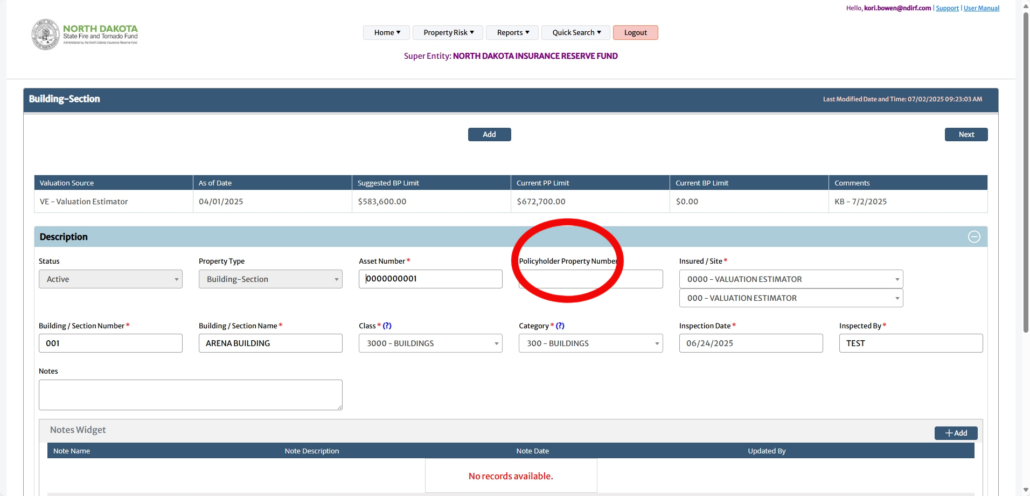
The Building-Section page will then populate several subsections. In the Description section, fill out the Policyholder Property Number (this field is the only required one to complete in this section).

Step 6

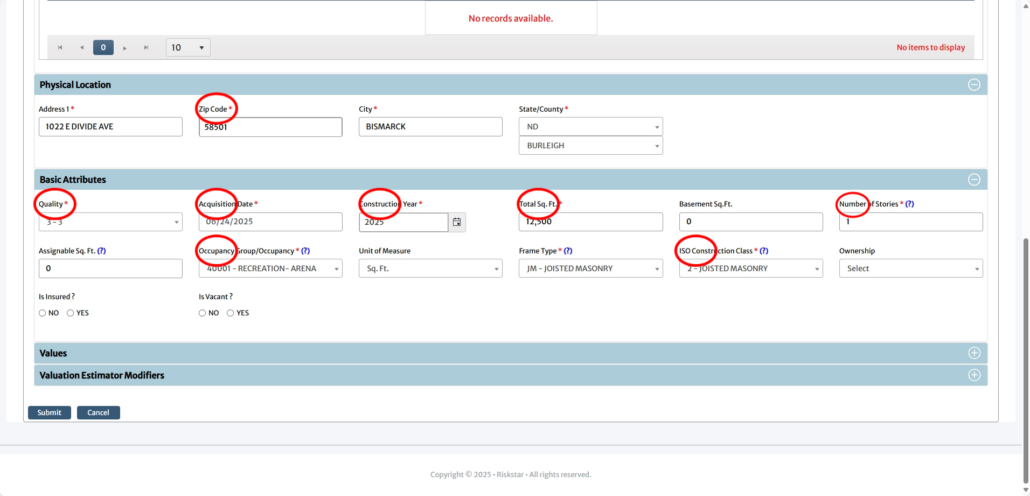
First, scroll to the Physical Location section, and fill out the fields with your property address (by filling in the Zip Code field, the correct city and state/county information will automatically populate).

Then, fill out the following fields in the Basic Attributes section:

  • Quality
  • Acquistion Date (approximate)
  • Construction Year
  • Total Sq. Ft. (measurements must include all finished areas as well as partial or finished basements)
  • Number of Stories
  • Occupancy Group/Occupancy
  • ISO Construction Class

After filling out Policyholder Property Number, complete the Physical Location and Basic Attributes sections. Once the Basic Attributes section is filled out, you must click “SUBMIT.”

*OPTIONAL: Your property may have unique attributes that you can specify in the Valuation Estimator Modifiers section. Review the list of modifiers to see if any apply to your property. This section is NOT required.

Step 7

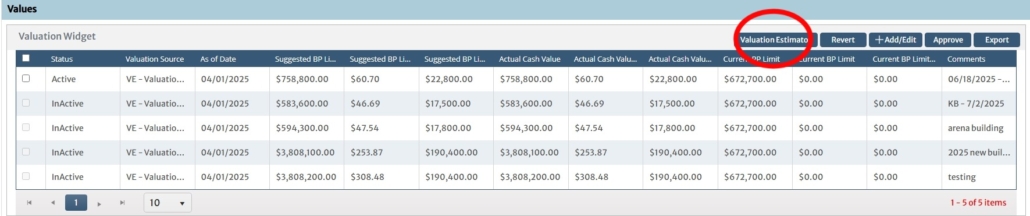
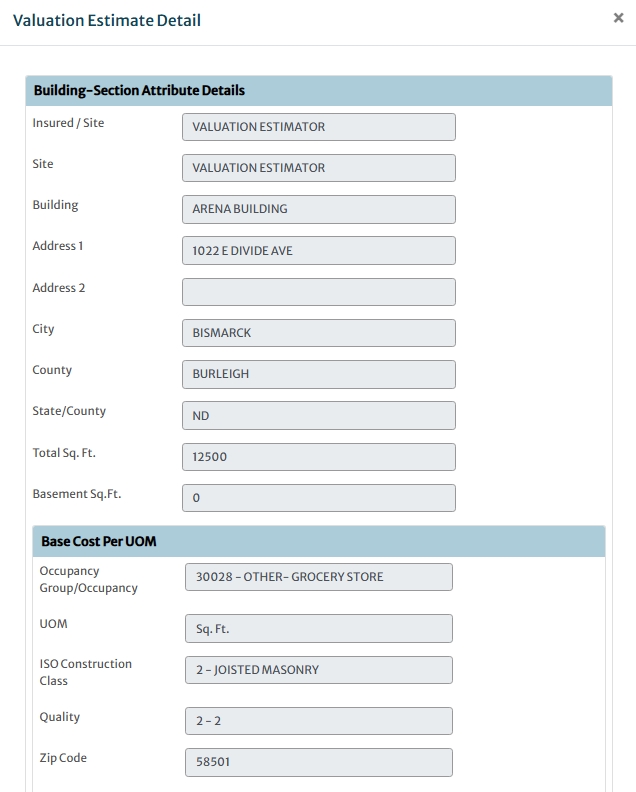
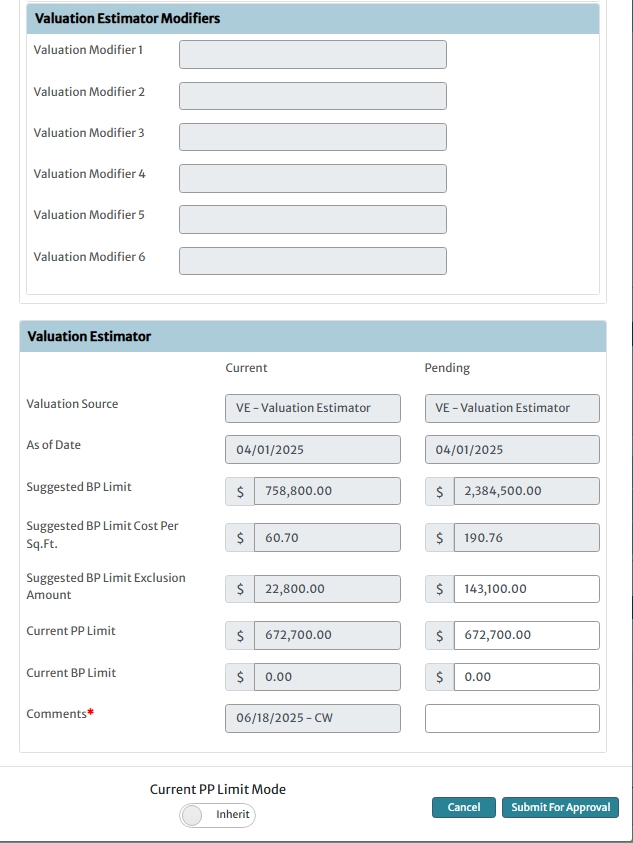
Next, under the Values section, click the “Valuation Estimator.” Here, you will get a preview of your report with the Valuation Estimate Detail. Review each section, including the Valuation Estimator section to review coverage details before processing your report. 

From there, either click “Cancel” or “Submit for Approval.”

If you cancel, edit necessary fields following steps 1-6 and submit for approval when you are satisfied with the Valuation Estimate Detail.  

Step 8

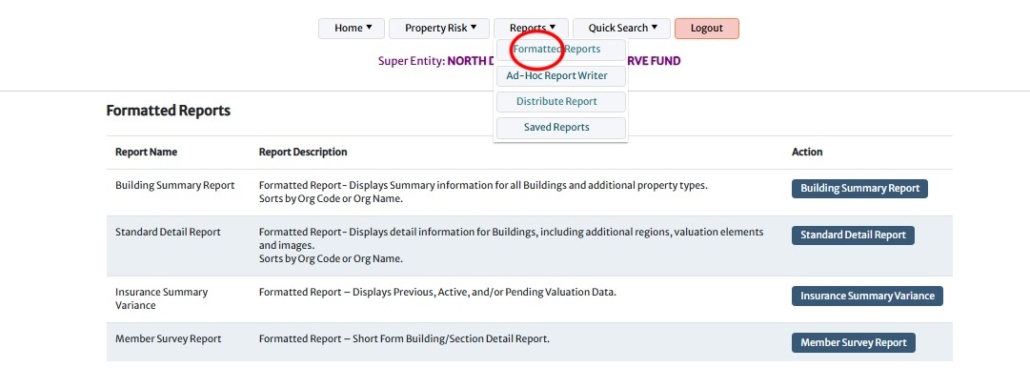
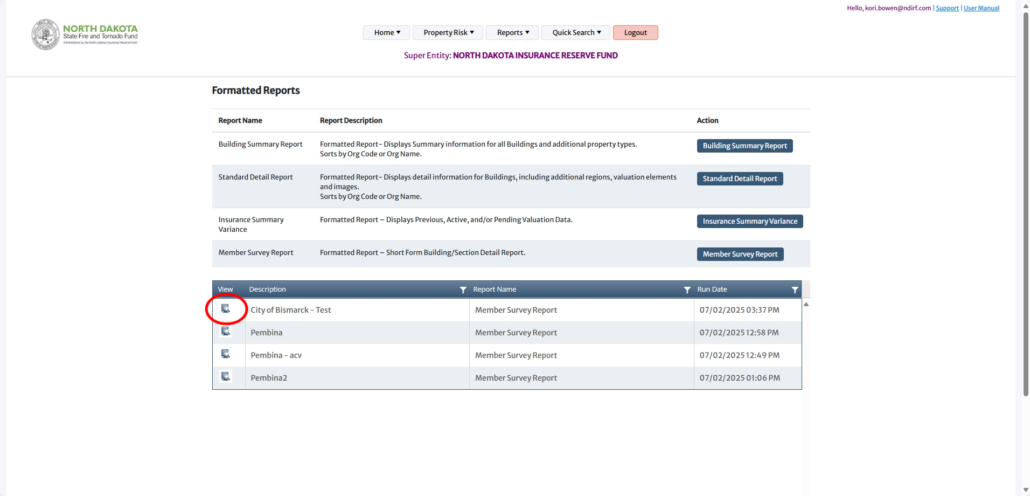
Once your report is submitted, you can view and print your report. Hover over the Reports dropdown at the top of the page and select Formatted Reports.

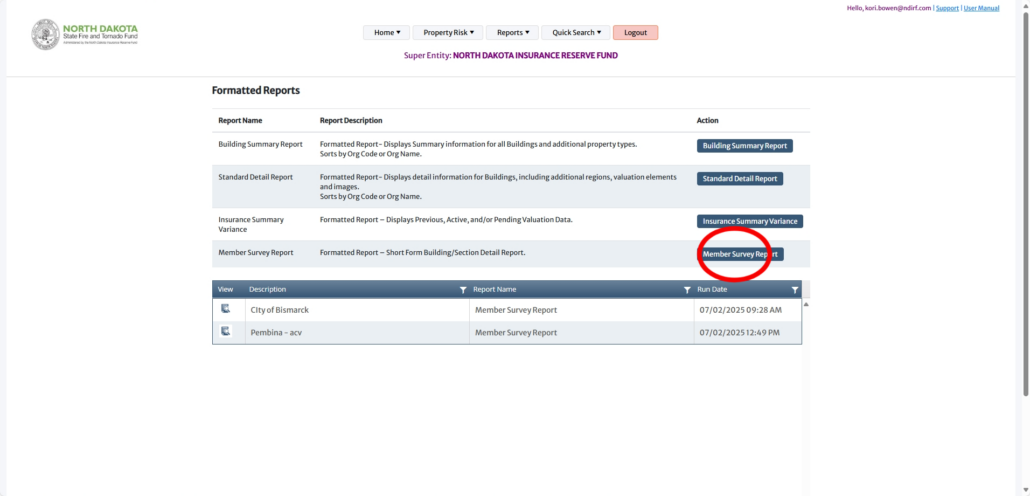
From the Formatted Reports page, click the Member Survey Report button.

Step 9

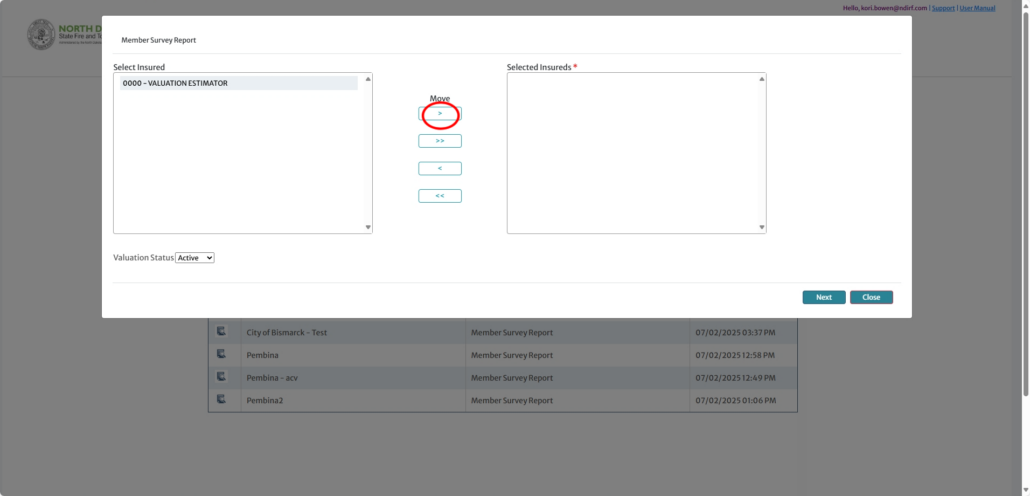
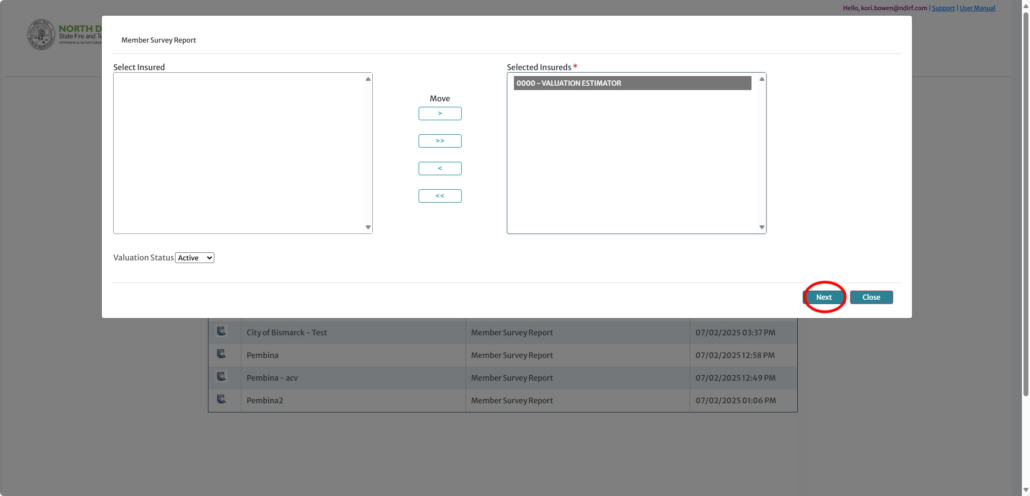
From the Member Survey Report pop-up, select the first option, “0000 – VALUATION ESTIMATOR” under “Select Insured.” Then, click the first arrow button option under “Move” to “Selected Insureds.From there, click “Next.”

Step 10

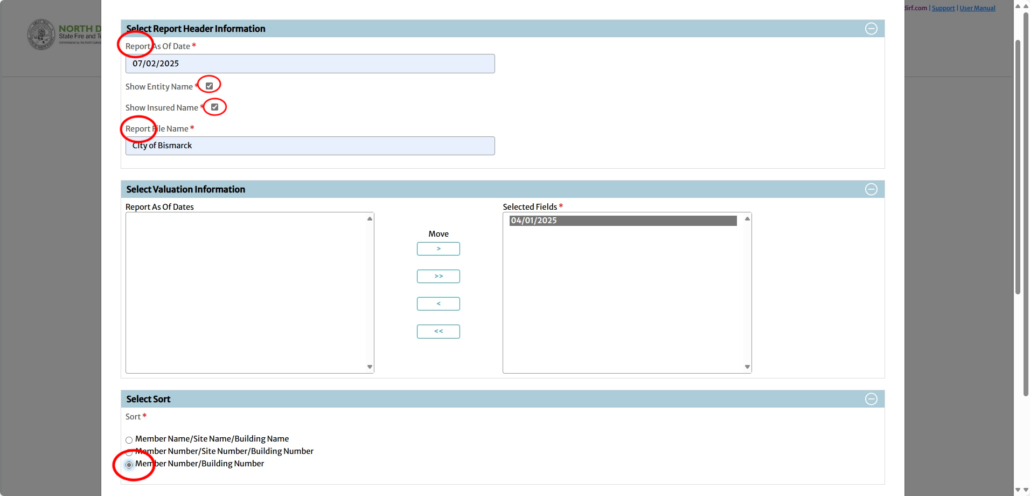
In the Select Report Header Information pop-up, complete each field, including marking the “Report As Of Date,” Show Entity Name,” and “Show Insured Name” boxes.

Next, in the Selection Valuation Information section, select “Report As Of Date” and click the first arrow button option under “Move” to “Selected Fields.”

Then, click Member Number/Building Number under the Select Sort section.

Step 11

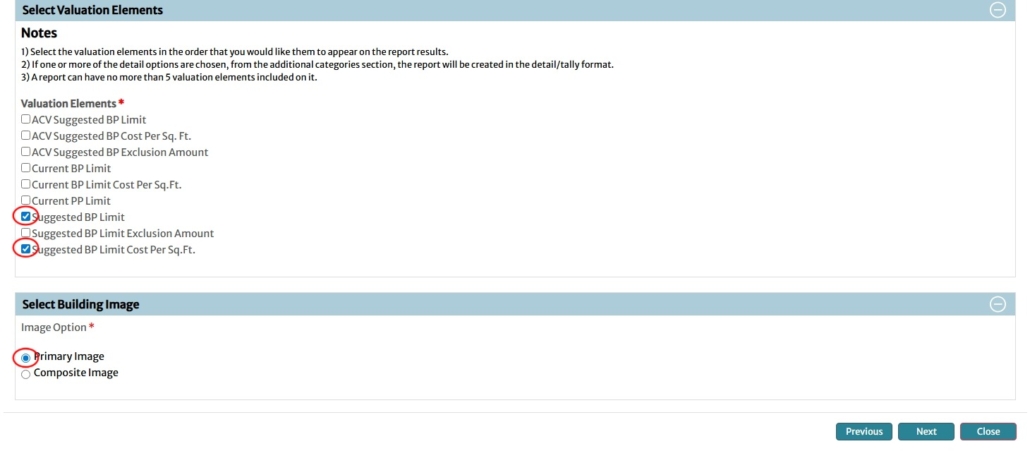
Next, make selections under Select Valuation Elements, including:

  • Suggested BP Limit
  • Suggested BP Limit Cost per Sq. Ft.

From there, select the Primary Image option under the Select Building Image selection.

After making all of your selections, click “Next.”

Step 12

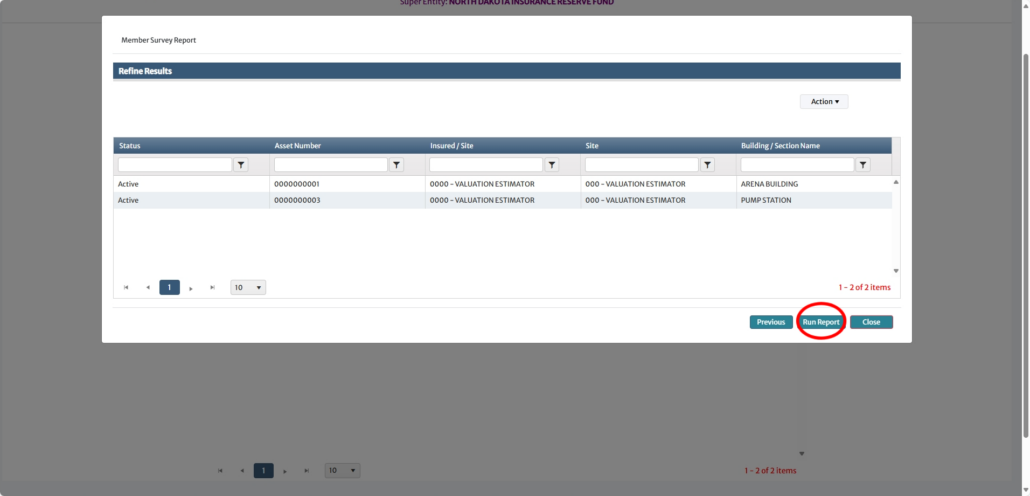
From the Refine Results pop-up, click “Run Report.

Step 13

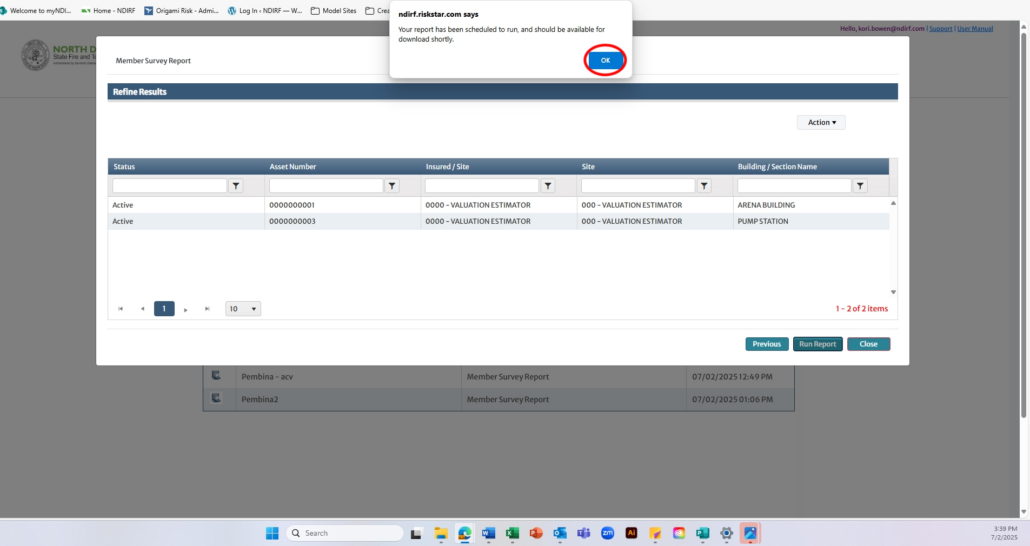
Now, the report is scheduled to run. Click “OK” to go back to the Formatted Reports page and download the report.

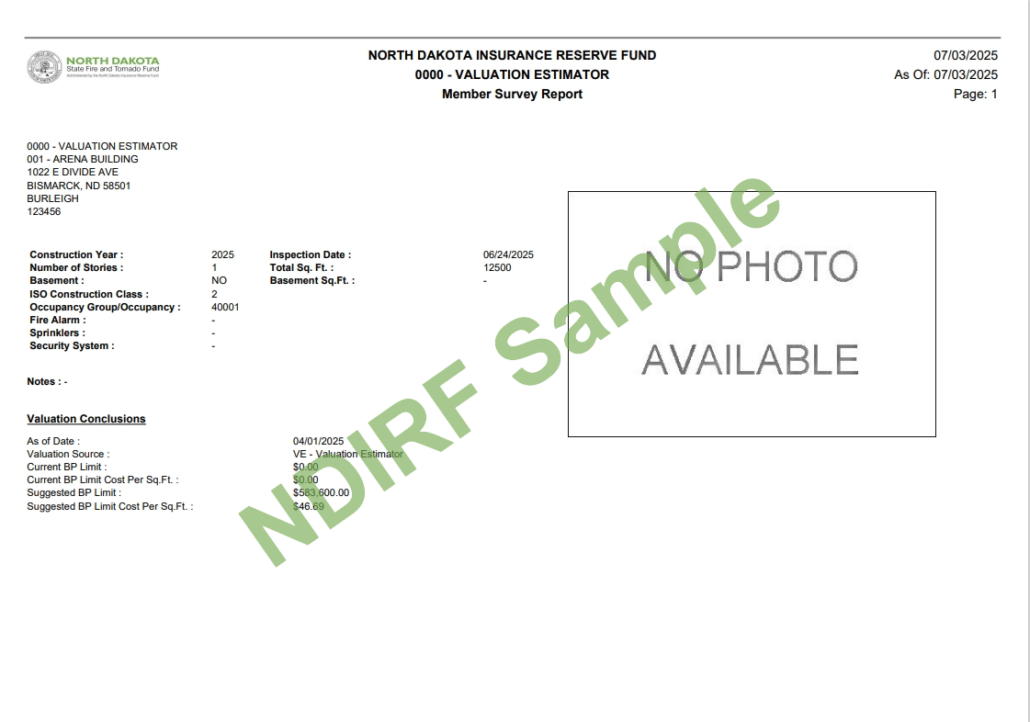
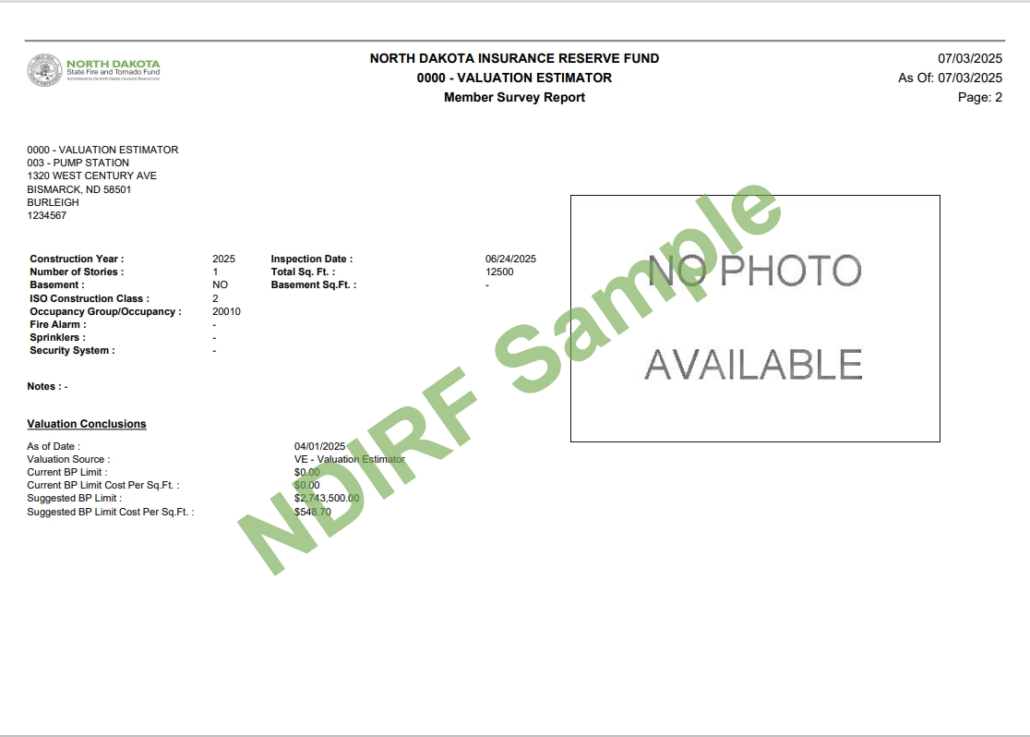
To download the report, click the appropriate report icon under the View column and download it.

Step 14

Before emailing valuation, review the Requirements & Resources page to ensure your valuation meets submission requirements.

Once downloaded, send the report and required building photos to ndirfmemberservices@ndirf.com. The NDIRF team will review the valuation and follow up.

DISCLAIMER: This above information is meant as general information to help you understand the different coverage and property types. These descriptions do not refer to any specific coverage document and they do not modify the definitions, exclusions or any other provision stated in any coverage document issued by the North Dakota Fire and Tornado Fund or North Dakota Insurance Reserve Fund. We encourage you to read your coverage documents to fully understand your coverage. In addition, the valuation guide is intended to provide you with a starting point in determining the estimated value of your property for North Dakota Fire and Tornado Fund coverage purposes only. You are responsible for selecting the appropriate limit for your coverage and for notifying us if you wish to add, delete, or make changes to your coverage. All coverage is subject to the provisions of the coverage document.